& Construction

Integrated BIM tools, including Revit, AutoCAD, and Civil 3D
& Manufacturing

Professional CAD/CAM tools built on Inventor and AutoCAD
Circuit design involves the creation of a schematic that acts as a blue print, showing how components connect to form the desired function. This process involves choosing the right parts and planning how everything connects. It also includes testing and making changes so that the design works well and is reliable before building it. Good circuit design is key to making electronics that work smoothly, are efficient, and can be manufactured without problems.
Circuit design software helps create and check electronic circuits by allowing users to draw schematics, run simulations, and design the physical PCB layout all in one place. Unlike basic electronic design programs, circuit design software includes features like schematic capture, PCB layout, design rule checks, signal testing, simulation, and automated routing.
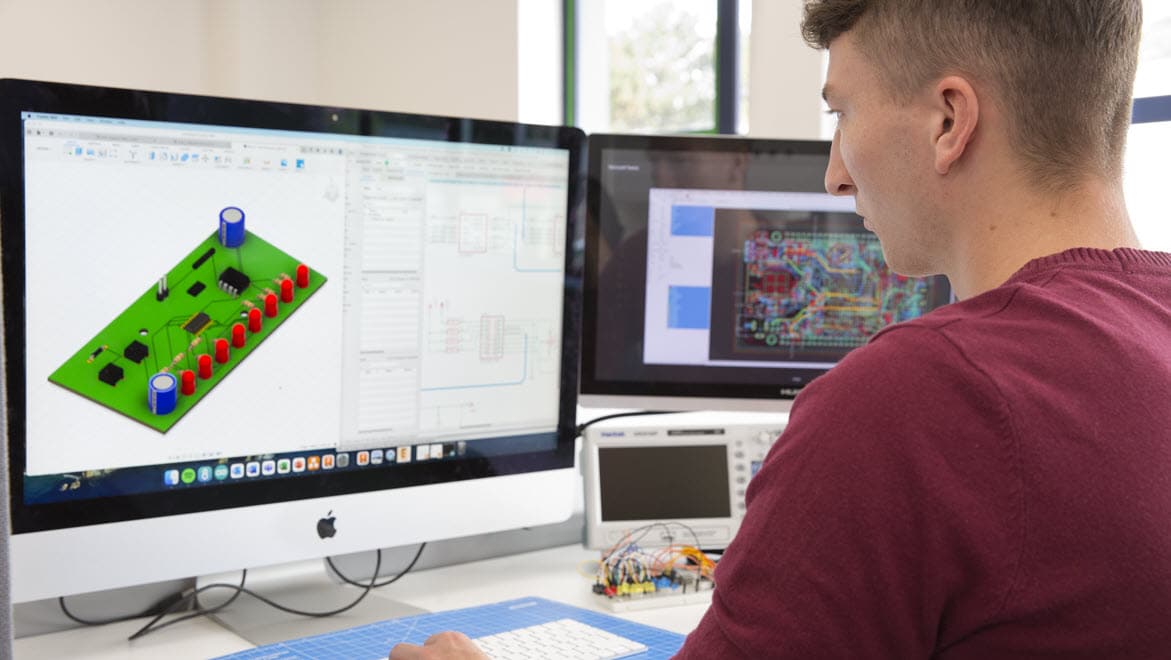
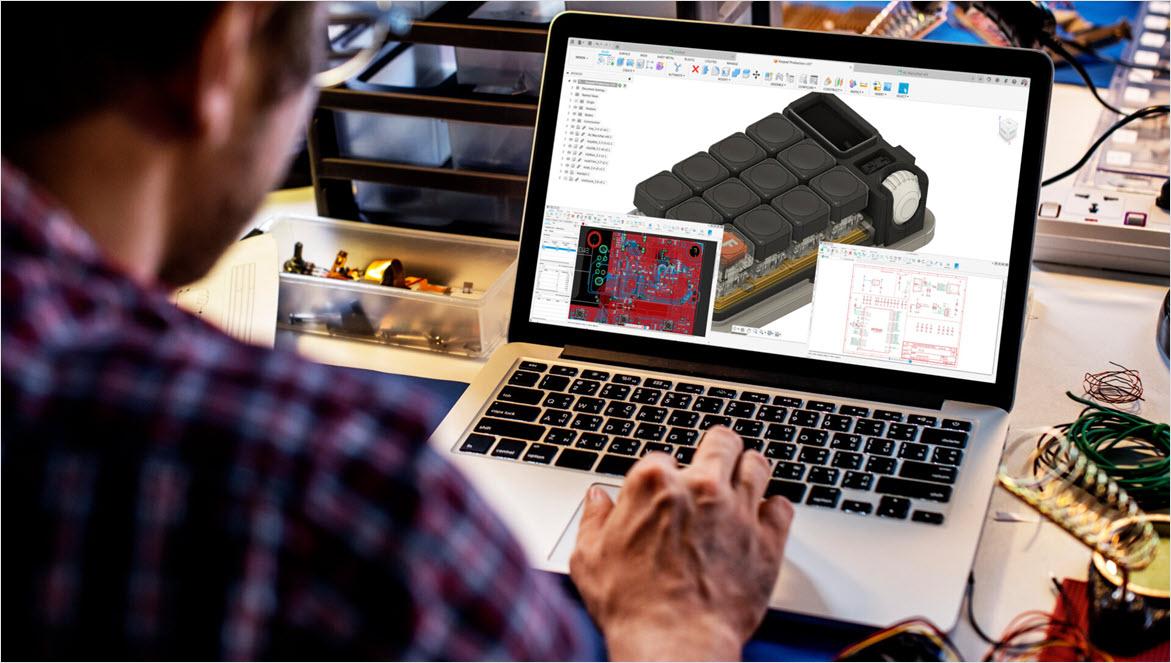
Using multiple tools for your electronics circuit design needs is inefficient. Autodesk Fusion is all-in-one circuit design software that combines schematic capture, PCB layout, and 3D mechanical design within a single platform. This integration simplifies the entire circuit design process, so users can easily create, test, and simulate circuits. Fusion is designed to handle everything from simple circuits to complex systems for more streamlined workflows and the elimination of disconnected tools.
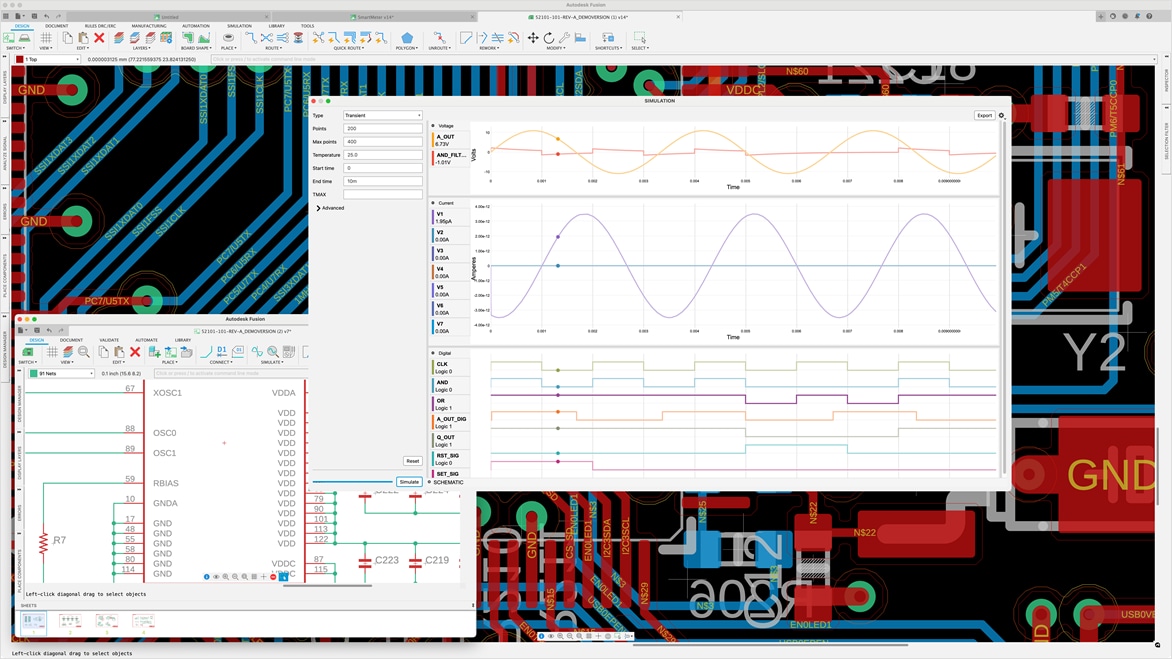
Fusion is a complete circuit design program with real-time simulation features such as SPICE analysis, signal integrity, and thermal checks. Cloud collaboration and data management tools allow teams to work together from anywhere, with version control and multi-user design access enhancing coordination.
Fusion can also generate manufacturing outputs like Gerber files, drill files, and BOMs. It's a powerful choice for efficient, modern electronic circuit design programs that meet today’s product development demands.
Circuit design software, Fusion offers a rich set of features to streamline the entire electronic circuit design process.
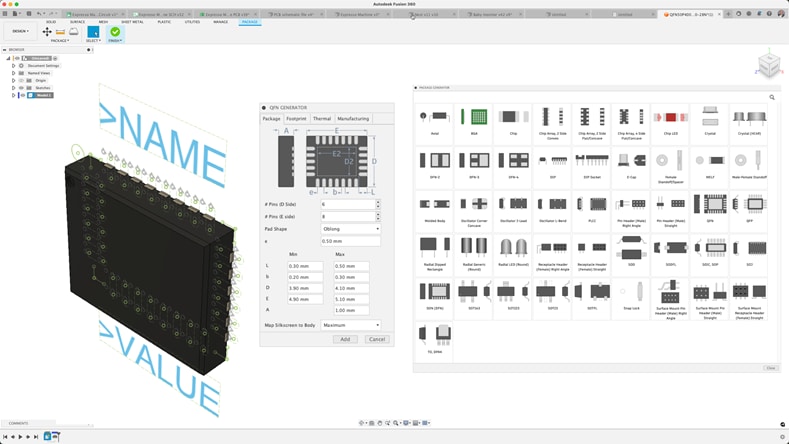
Easily edit circuit design schematics and select components from extensive IPC-compliant libraries. Circuit design software, Autodesk Fusion, includes a built-in library package generator that automatically creates footprints and 3D models based on component details, saving time and improving accuracy.
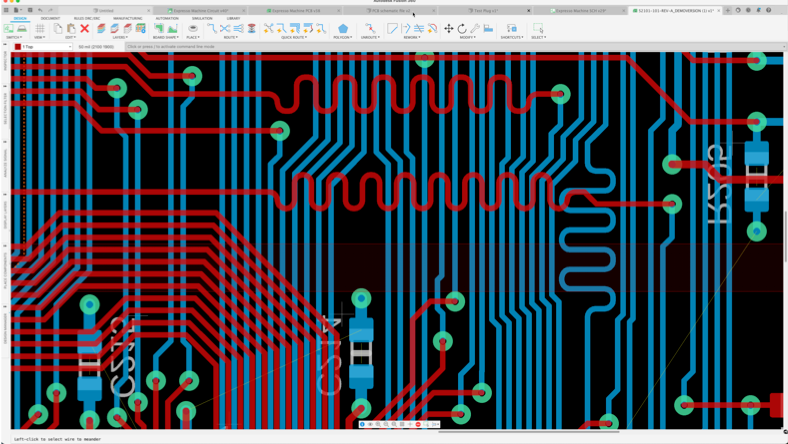
For PCB layout and circuit design, Fusion offers advanced routing tools including live Design Rule Checks (DRC), quick route, group route, and violator modes. These circuit design software features make it easier to achieve precise and efficient routing, even for the most complex boards.
Fusion supports ECAD/MCAD collaboration, enabling electronic circuit design and mechanical design teams to work together in real time. With our circuit design software, teams can share designs, review updates, and track versions without extra steps. This eliminates file conversions and streamlines communication for faster, more accurate product development.
The advanced circuit design tools in Fusion include real-time design validation, 3D visualization, and simulation capabilities, making it easy to go from design to manufacture.
Fusion includes simulation capabilities that allow you to test your design and identify potential issues before building the circuit.
Fusion electronics provides an extensive repository of components. Partners such as Ultra Librarian and SnapEDA have created Fusion add-ins to help you quickly build your components.
Fusion electronics can export designs in various standard formats such as Gerber, ODB++, including Ansys export for simulations and analysis.
Fusion is an electronic circuit design program that integrates design for manufacturing (DFM) checks directly into the workflow, helping reduce costly errors early in the process. These automated checks validate designs against manufacturing constraints, preventing issues that can delay production or increase costs. By catching potential problems before fabrication, Fusion saves time and money while ensuring high-quality, reliable circuit boards.
Cloud-based collaboration allows teams to work together from anywhere in real time. This speeds up decision-making, streamlines feedback, and keeps everyone on the same page with version control and multi-user access. Designers and engineers can share updates seamlessly, reducing bottlenecks and accelerating time-to-market for electronic products.
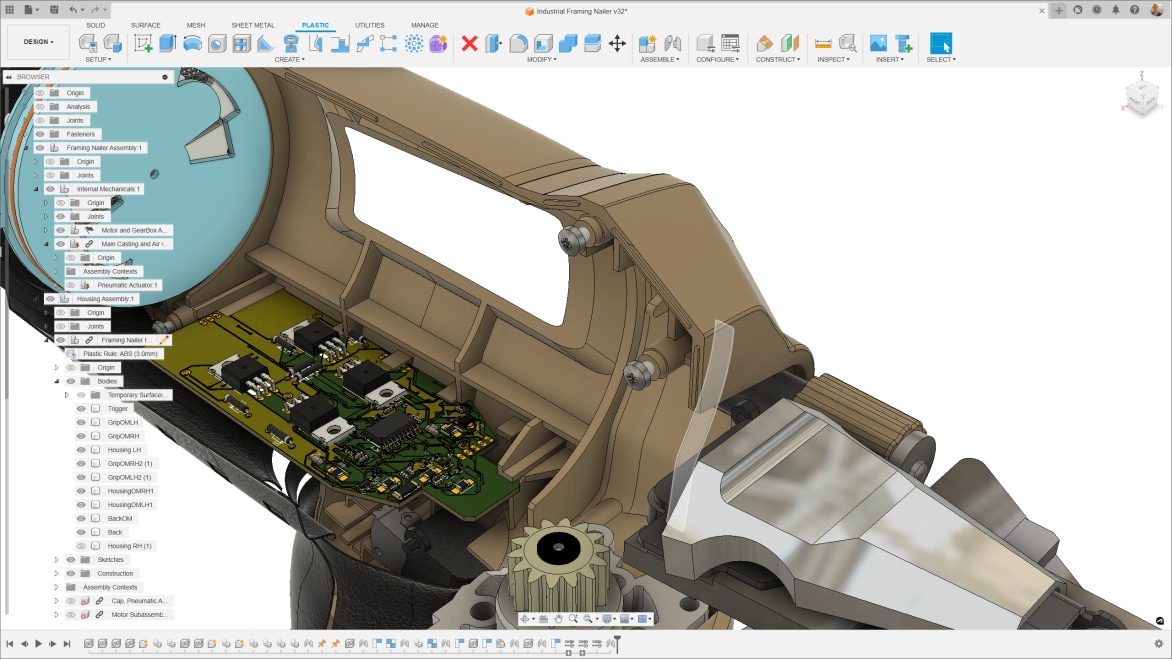
The unified ECAD + MCAD environment in Fusion eliminates the disconnect often found between electrical and mechanical teams. By combining electronic circuit design with mechanical design tools in one platform, Fusion offers the easy synchronization between PCB layouts and 3D mechanical models. This integration helps prevent costly fit and clearance errors, improves communication, and ensures the final product’s electronic and mechanical parts work perfectly together from the start.
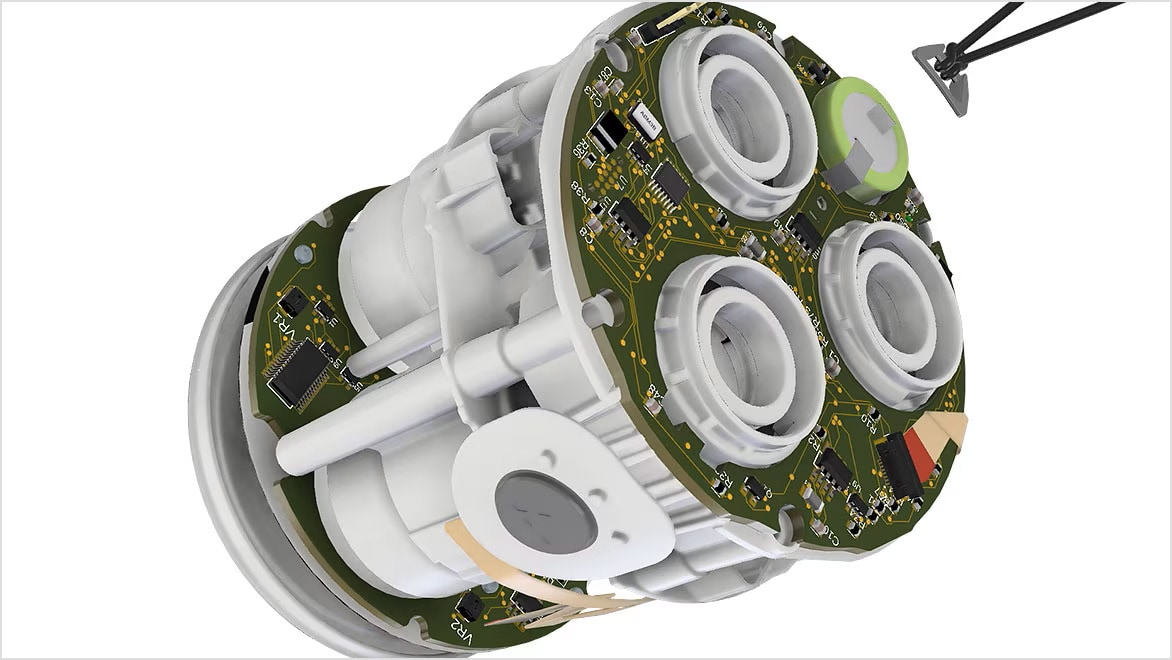
Product designers require solutions that help them bring consumer products to market faster and to easily transition from design to production. Autodesk Fusion enables seamless integration of 3D design and electronics circuit design.
Build reliable control systems and robotics with circuit design software like Autodesk Fusion. From motor drivers and sensor interfaces to power management and EMI/EMC considerations, our tools streamline schematic capture, PCB layout, and verification so your electronic circuit design performs in harsh, high‑duty environments. Integrated ECAD/MCAD workflows help you optimize enclosures, harness routing, and thermal performance for factory‑floor readiness.
Create advanced automotive systems with robust circuit design capabilities. Circuit design software, like Autodesk Fusion, supports complex electronic circuit design for safety-critical components, infotainment systems, and power management. With real-time collaboration and simulation tools, you can optimize designs for durability and compliance in demanding automotive environments.
Bring innovative IoT devices to life with powerful electronic circuit design tools. Autodesk’s circuit design software, Fusion, enables seamless PCB layout, component selection, and connectivity optimization for smart sensors and edge devices. Integrated ECAD/MCAD workflows ensure your IoT designs are compact, efficient, and ready for rapid deployment.
In electronics, circuit design includes two primary types: analog and digital.
Analog circuit design focuses on continuous signals that vary smoothly over time, often involving amplification, filtering, and signal conditioning. These circuits work with components like resistors, capacitors, and operational amplifiers to process real-world signals such as sound and temperature. Designing analog circuits is typically more complex because they require careful management of noise, signal distortion, and power efficiency to achieve precise and stable operation.
Digital circuit design deals with discrete signals represented by binary states—ones and zeros. Digital circuits use logic gates, microcontrollers, and other digital components to perform operations such as arithmetic, control, and data processing. Compared to analog, digital circuit design is often simpler and benefits from numerous automated electronic circuit design programs for rapid prototyping and simulation. Many products use both, requiring careful integration to avoid interference, and ensure reliable performance.
Circuit design software and circuit design programs help engineers navigate these challenges by providing comprehensive tools to create, test, and optimize both analog and digital circuits efficiently.
The ECAD/MCAD workflows in Fusion bring electronics and mechanical design together in one powerful circuit design software solution. Because everything is unified, design changes are adopted instantly—without the need for file conversions or translations.
When you modify a circuit design in the assembly workspace, those updates automatically are reflected in the PCB workspace, making Fusion the only circuit design program that seamlessly connects electronics, mechanics, and manufacturing.
This integration is what sets it apart from other electronic circuit design programs - accuracy, speed, and collaboration across every stage of development.
This free version for hobbyists and makers includes 2 schematic sheets, 2 signal layers, and 80-cm2 board area.
We offer free circuit design software for students and educators around the world.
Circuits empower you to bring your ideas to life with free, easy-to-use online tools.
The printed circuit board (PCB) layout brings your circuit design to life in its physical form. Learn more about the PCB layout process and how to design your own.
The schematic design defines connectivity between your electrical component symbols. Learn more about the schematic design process and how to design your own.
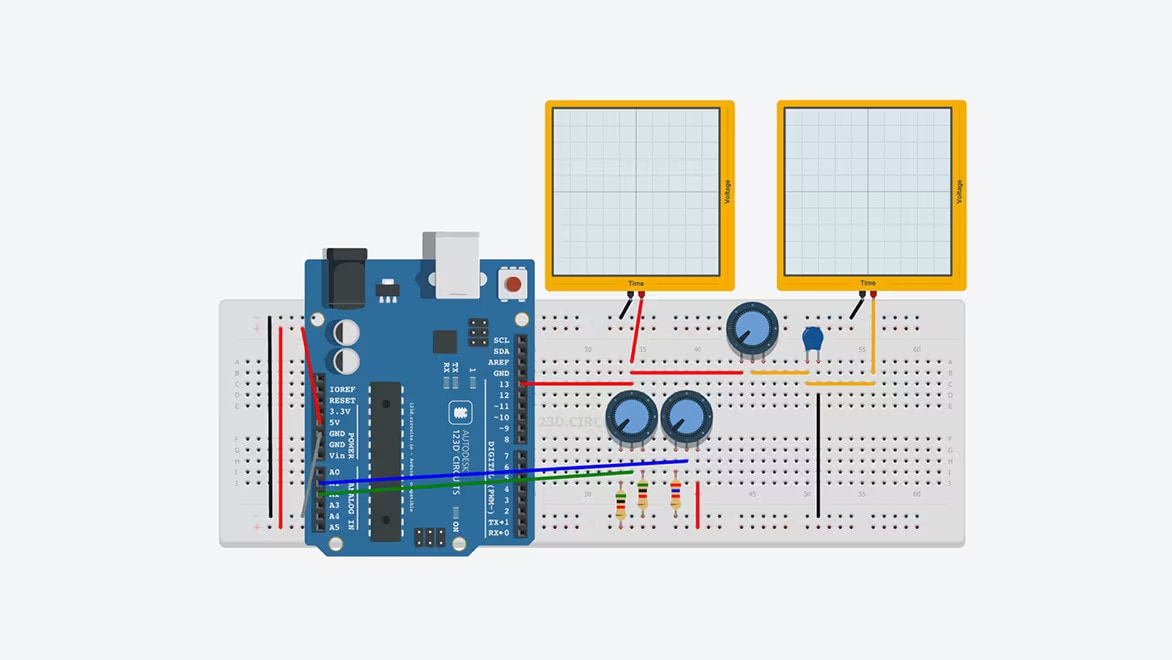
SPICE simulation allows you to analyze voltage and current performance in your circuit design. Learn more about SPICE and how to run your first SPICE simulation.
Electronic circuit design involves ideation, creation, and revision. Learn about PCB design and the circuit design process.
Learn how to make your first high-speed PCB design a success by minimizing crosstalk, EMI, and more.
Learn how Autodesk Fusion provides you with the necessary routing tools and environment settings to make interactive routing easy and efficient.
Use these top 10 PCB routing tips to make your first PCB layout a success.
Learn how to design your printed circuit board (PCB) layout with these tips for routing, component placement, heat dissipation, and more.
By simulating the flow of air, heat transfer, and other factors, identify potential issues and optimize designs for maximum efficiency.
Circuit design is the process of creating electrical circuits by defining components, connections, and layout to achieve a specific function. It includes schematic capture, simulation, and PCB layout.
Circuit design software, like Autodesk Fusion, is a tool that helps engineers and designers create, simulate, and optimize electronic circuits. It streamlines workflows from schematic capture to PCB layout and verification.
Circuit design software, like Autodesk Fusion reduces errors, accelerates development, and ensures compliance with industry standards. It also integrates simulation and collaboration features for better product quality.
Circuit designers, electronics engineers, PCB layout specialists, and product developers use circuit design software to design electronics for industries like automotive, IoT, and industrial automation.
Key features in circuit design software, like Autodesk Fusion, include schematic capture, PCB layout tools, component libraries, simulation capabilities, and ECAD/MCAD integration for mechanical collaboration.
Finding the right circuit design software can feel overwhelming. Circuit design is just one step in creating complete product solutions, and it requires close collaboration with other engineering disciplines—especially mechanical engineering. The ideal software should make it easy to design high-quality circuits while streamlining your workflow. Look for a solution with seamless electromechanical integration, version control, and real-time collaboration features so you can work with team members, access designs anywhere, and track changes effortlessly. In addition, consider ease of use, integration with CAD tools, simulation capabilities, library support, and collaboration features to match your project needs—so you can focus on the design process, not the tools. Autodesk Fusion is a great solution!
It automates design rule checks, generates footprints and 3D models, and provides real-time error detection, reducing manual mistakes and improving precision.
Yes, Fusion includes simulation capabilities that allow you to test your design and identify potential issues before building the circuit board.
A circuit designer is a professional who creates the electronic circuits that allow devices to function, from simple gadgets to complex systems like computers, medical equipment, and automobiles. They combine knowledge of electrical principles with practical design skills to plan how components such as resistors, capacitors, transistors, and integrated circuits will work together to perform a specific task. Their work involves drawing schematics, running simulations to test ideas, building prototypes, and troubleshooting issues to ensure the final circuit is safe, efficient, and reliable. Circuit designers play a key role in turning engineering concepts into real, working technology that powers everyday life.
Designing a circuit involves several steps. Here's a general overview of the process:
1. Define the purpose of the circuit: Understand what the circuit is supposed to do. This includes knowing the inputs and desired outputs.
2. Design the circuit schematic: Based on the requirements, start designing the circuit on paper or using a circuit design software. This involves selecting the right components (like resistors, capacitors, transistors, etc.) and connecting them correctly.
3. Simulate the circuit: Using circuit simulation software like Autodesk Fusion, validate that your circuit works as intended. This step can help you identify and fix potential issues without having to build a physical circuit.
4. Create a PCB layout: Once your schematic design is finalized and simulated, you can proceed to design the Printed Circuit Board (PCB). This involves deciding where each component will go on the board and how they will be connected.
5. Fabricate the PCB: After finalizing the PCB layout, you can have the PCB manufactured. This process involves etching the copper layers to create the necessary pathways for electricity, and drilling holes for component leads.
6. Assemble and test the circuit: Once the PCB is ready, solder all the components onto the board following the layout. After assembly, test the circuit to ensure that it functions as expected.
Throughout this process, you may need to iterate on your design several times to get the desired results. Circuit design software like Autodesk Fusion can be very helpful in this process, allowing you to design both the schematic and the PCB layout, and even providing tools for circuit simulation.
Autodesk Fusion offers an integrated platform for electronics design, combining schematic capture, PCB layout, and 3D visualization. It enables:
Inside Fusion’s electronics workspace, you can run SPICE-based circuit simulations directly from your schematic designs. This allows you to test circuit behavior, verify performance, and troubleshoot issues such as voltage levels, current flow, and signal integrity before moving on to PCB layout and manufacturing.
Autodesk Fusion includes a modern, collaborative environment to connect teams and stakeholders. You'll gain the ability to:
Yes. Autodesk offers a free 30-day trial for Fusion so you can explore its features before purchasing.
Absolutely. Fusion is built for both simple and complex designs, offering advanced simulation and validation tools.