PCB DESIGN WITH AUTODESK FUSION

PCB design software for modern PCB board design

PCB design is the process of transforming electronic schematics into manufacturable printed circuit boards by defining board layout, components, copper routing, and mechanical constraints. Autodesk Fusion integrates PCB design with mechanical design, simulation, and manufacturing in one cloud-based solution.

pcb-design

What is PCB design?

PCB design is the engineering process of creating a printed circuit board (PCB) that electrically connects and mechanically supports electronic components. PCB design includes schematic capture, PCB layout, component placement, copper trace routing, and design rule validation to ensure manufacturability and performance.

pcb-design-software-fusion-360

What is PCB design software?

PCB design software allows engineers and designers to plan, visualize, and prepare the detailed layout that connects electronic components for reliable performance.

When terms like “PCB board design software” or “PCB layout tools” are used, they specifically describe the process of configuring the board’s shape, copper traces, components, and preparing files for manufacturing. PCB design software helps ensure accuracy, manufacturability, and efficient collaboration to turn electronic concepts into real, functional products.

PCB design in Autodesk Fusion

PCB design vs. PCB board design

PCB design refers to the full electronic design workflow, including schematics, rules, and system intent. PCB board design focuses specifically on the physical layout of the board—component placement, copper routing, layers, and manufacturability constraints. Modern PCB design software combines both into a single workflow.

Benefits of PCB design software

Improved accuracy

Make sure that circuit boards are designed with a high level of accuracy. Reduce the risk of errors and improve product reliability with electronics simulation.

Increased flexibility

Eliminate the need for physical prototypes, reducing costs and design iterations by easily modifying the design directly in the software. 

Better collaboration

Multiple designers and cross-functional teams can work on a design concurrently reducing design time and improving product quality.

Time and cost savings

Features such as interactive routing, schematic capture, and component libraries reduce design time. PCB design software also reduces the cost of production by optimizing the placement of components, reducing the circuit board size, and more.

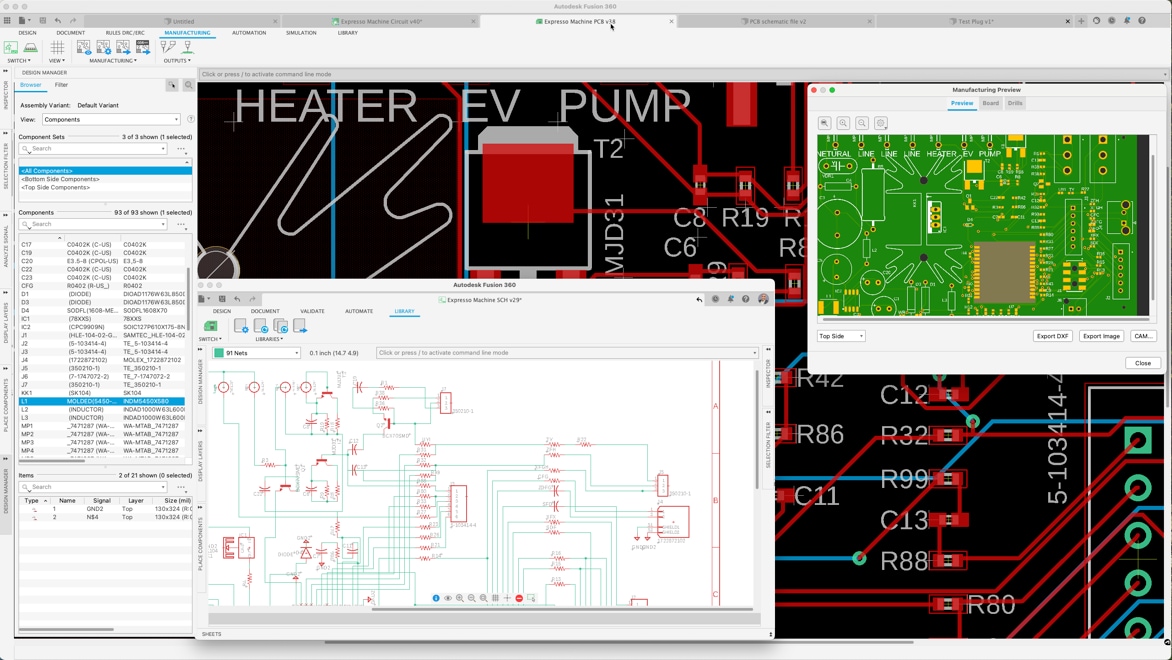
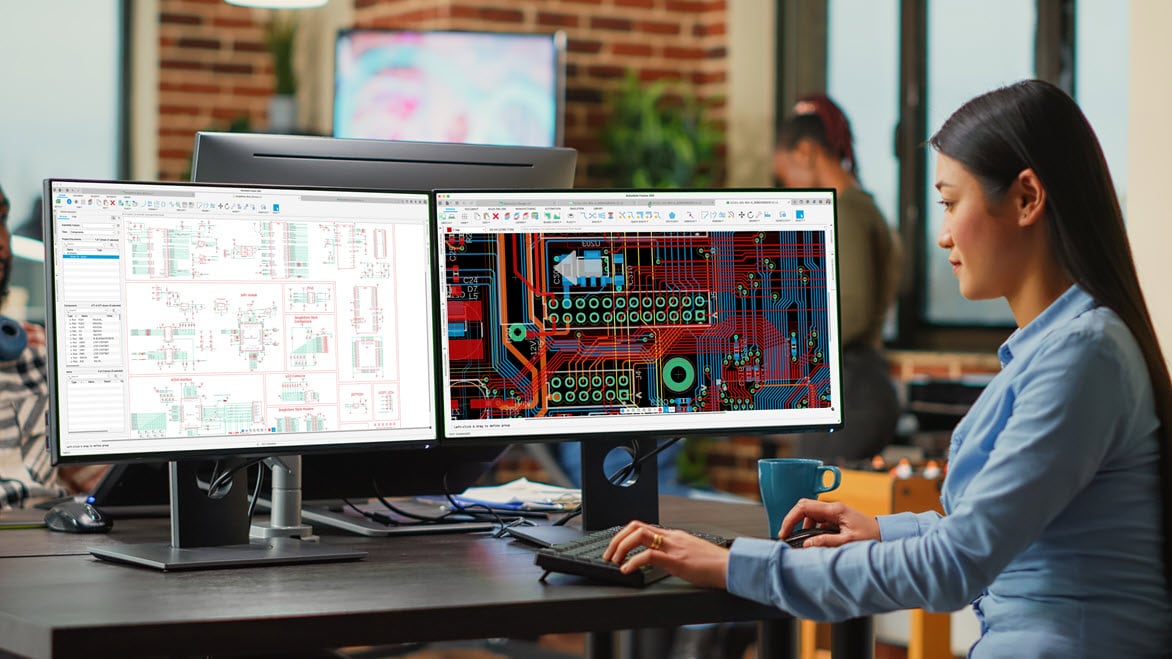
Autodesk Fusion, PCB design software.

Autodesk Fusion for PCB design

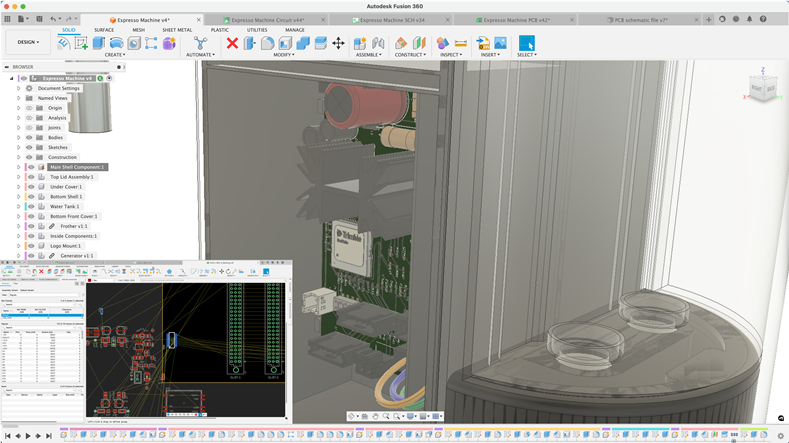
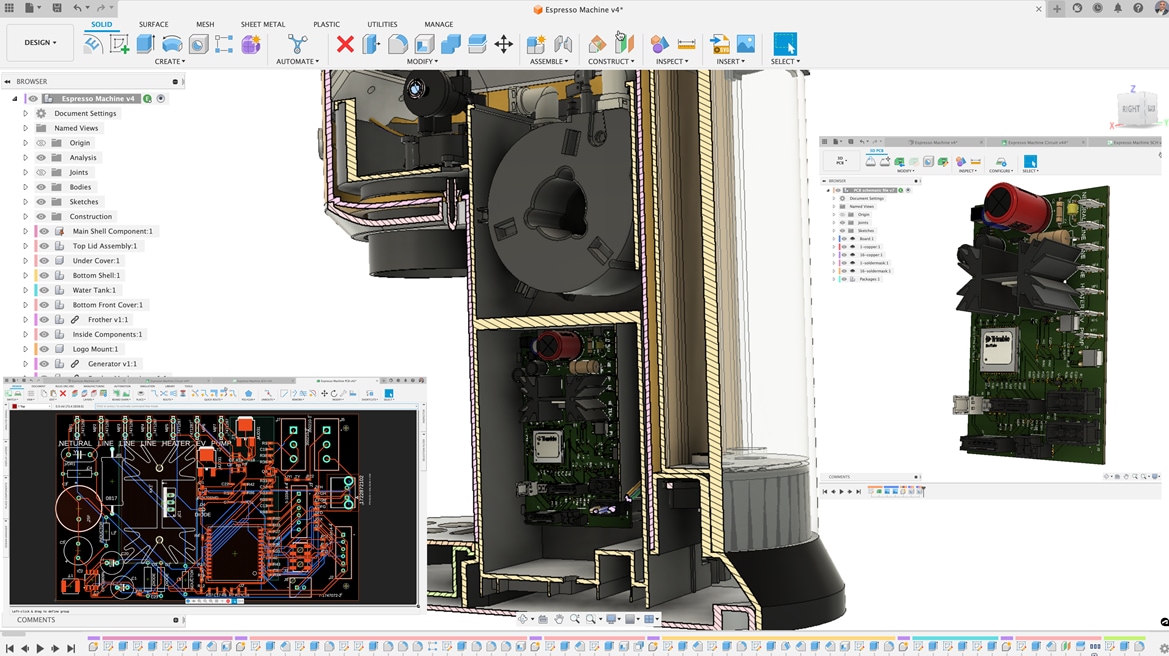
Fusion is a popular choice for PCB design thanks to its unique ECAD-MCAD integration, which synchronizes electronic layouts with mechanical constraints in a single environment.

Cloud collaboration tools and built-in data management let design teams share work in real time with version control and instant feedback. Everything happens on one unified platform, making distributed teamwork simple and seamless.

Fusion also simplifies PCB design with automatic checks, SPICE simulation, and flexible rules so you can easily catch and fix mistakes before they go to manufacturing.

PCB design features in Autodesk Fusion

Here are some of the top PCB design features in Fusion:

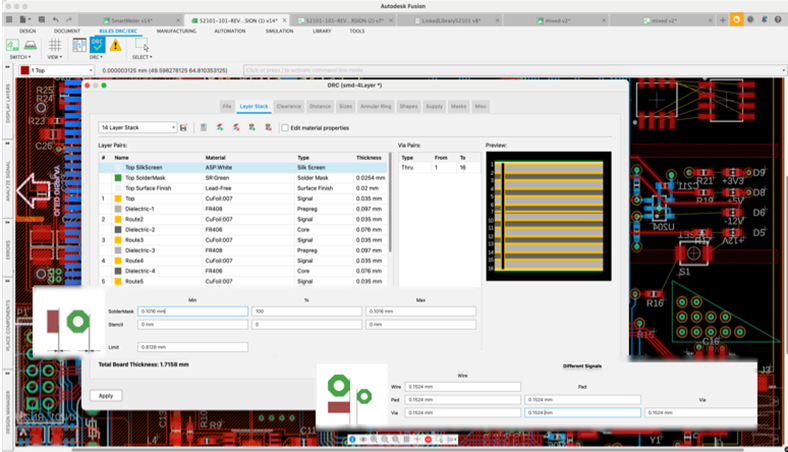
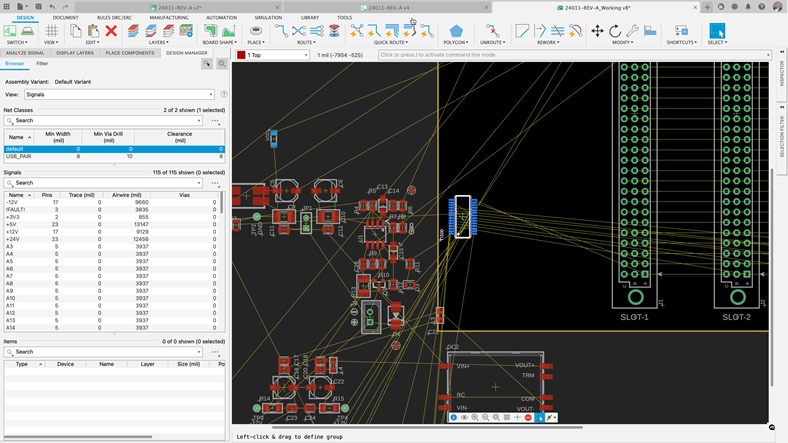
Constraint manager in Autodesk Fusion

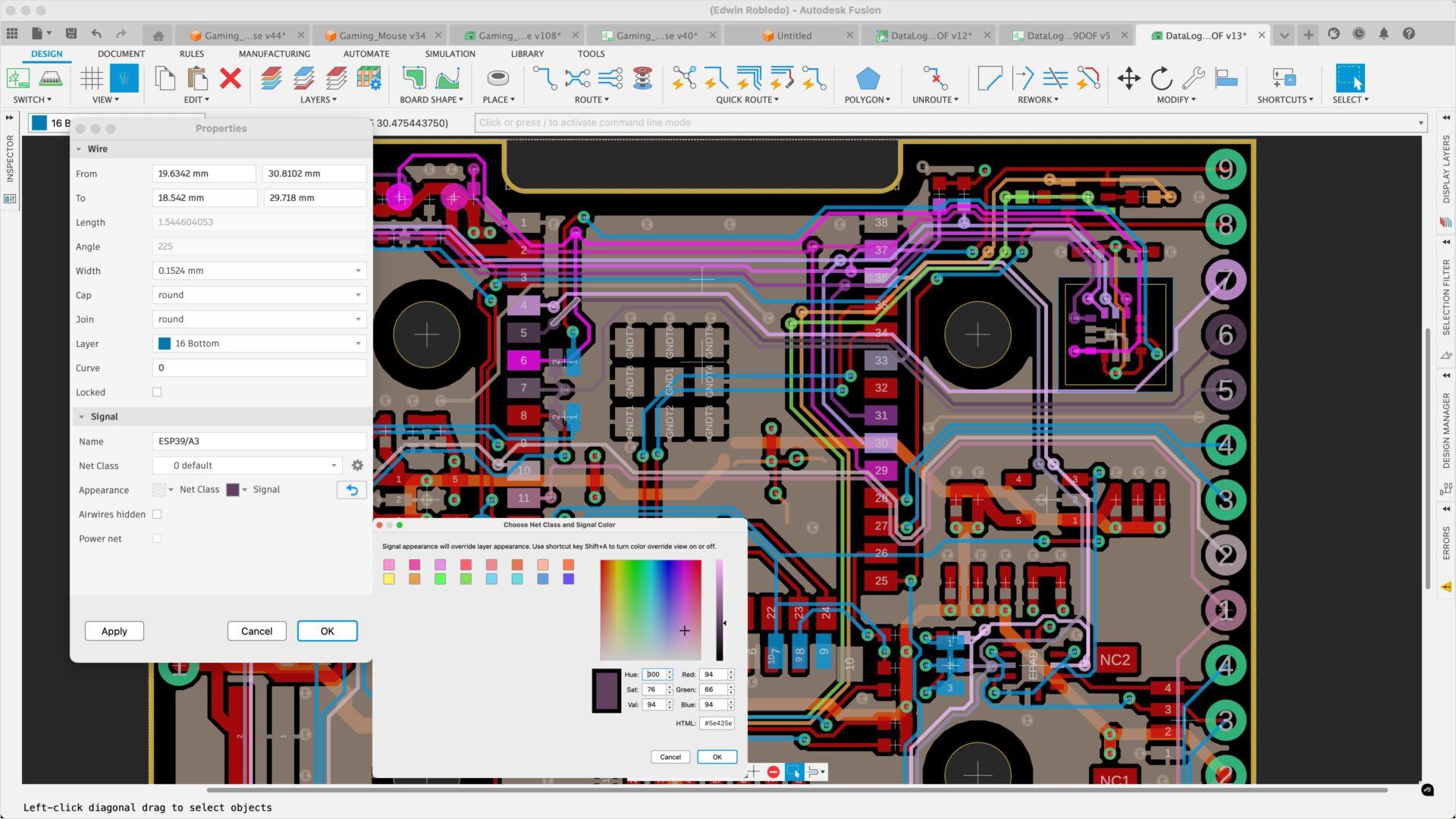
Design constraint manager

Uncover meticulous design guidelines, guaranteeing scalability and organization for the most intricate PCB design constraint manager. Autodesk Fusion provides high-quality, error-free production through strict compliance with industry standards and optimization of design specifications.

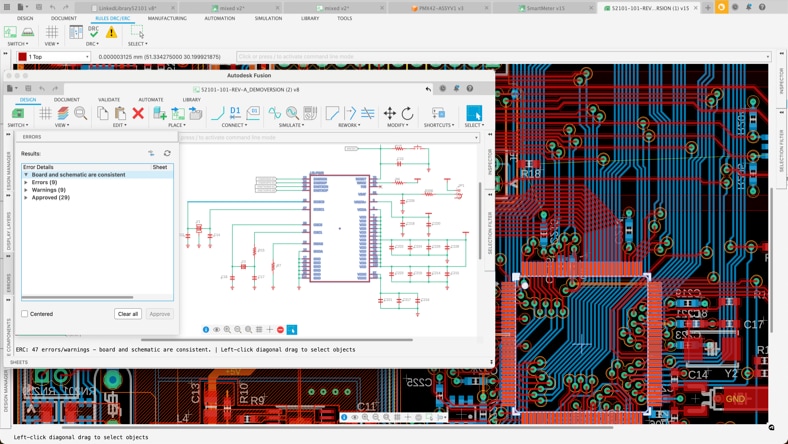
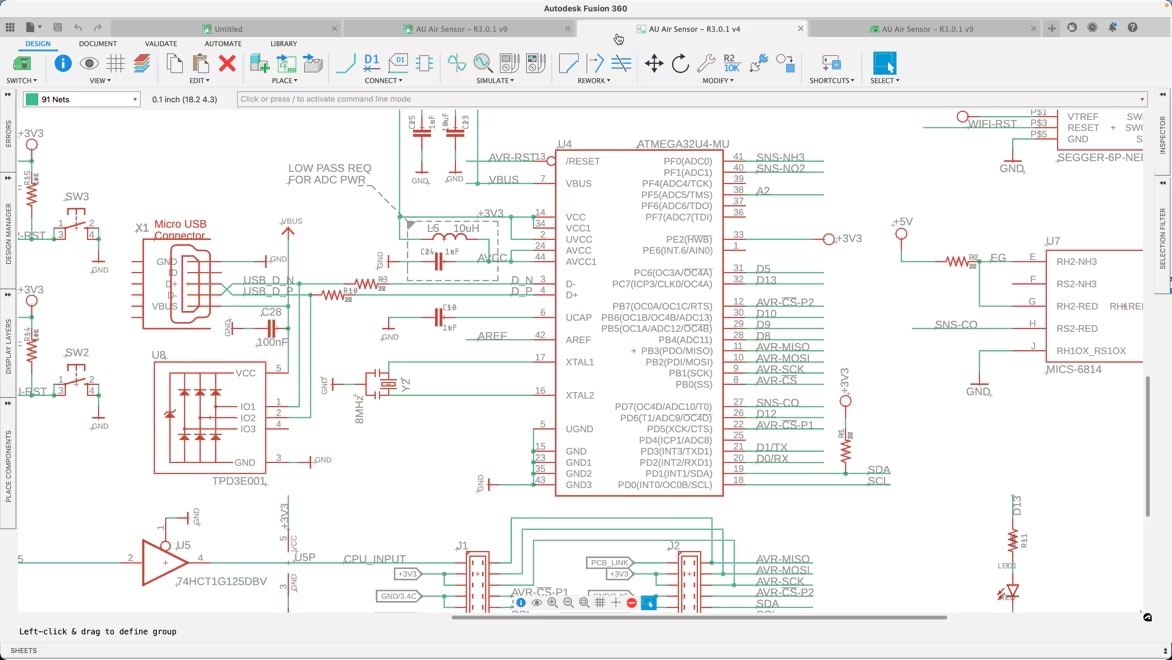
Schematic design in Autodesk Fusion

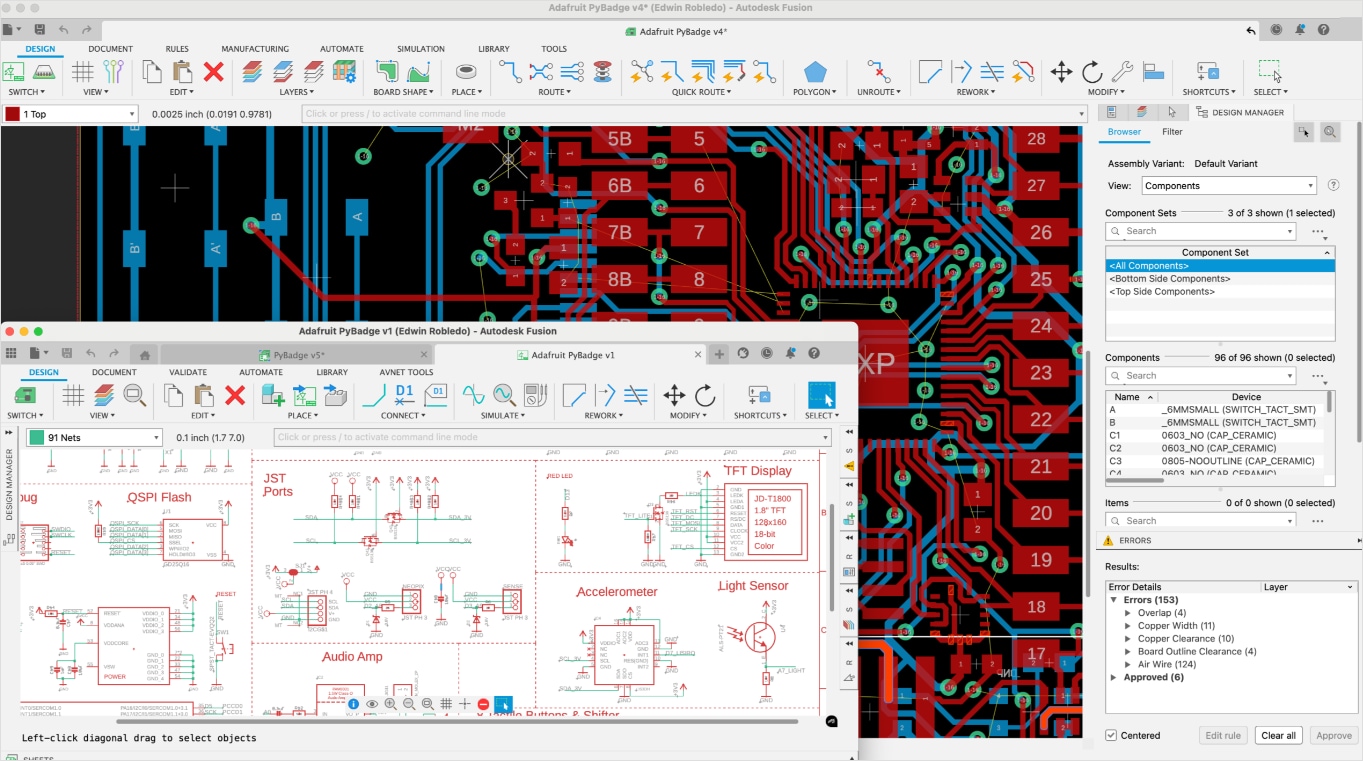
PCB and schematic design synchronization

Fusion's PCB and schematic design synchronization ensures confidence and minimizes the risk of errors, enhancing the reliability of the final product. This integrated approach streamlines the design process, reducing the likelihood of discrepancies and ensuring consistent performance.

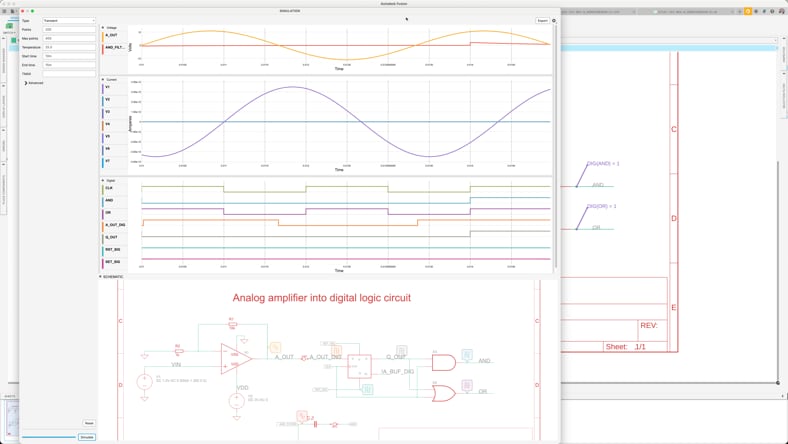
SPICE simulation in Autodesk Fusion

SPICE simulation

Verify that your design parameters are correct with our easy-to-use SPICE simulation tool, available in Fusion Electronics. Our repository of components makes it easy to get you started or build your own. It is SPICE compatible.

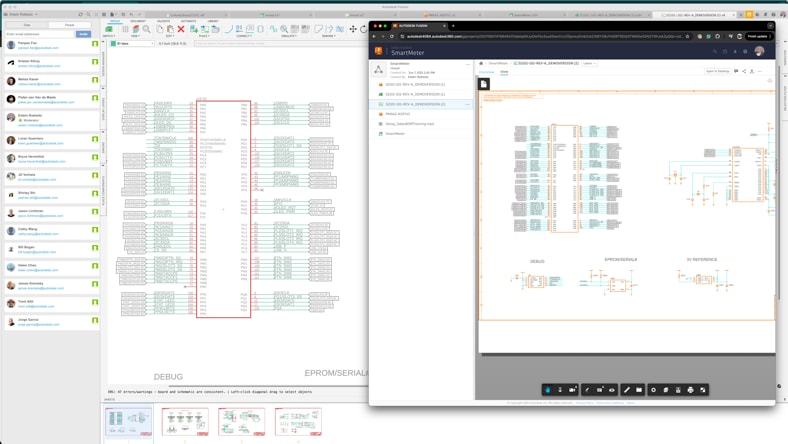
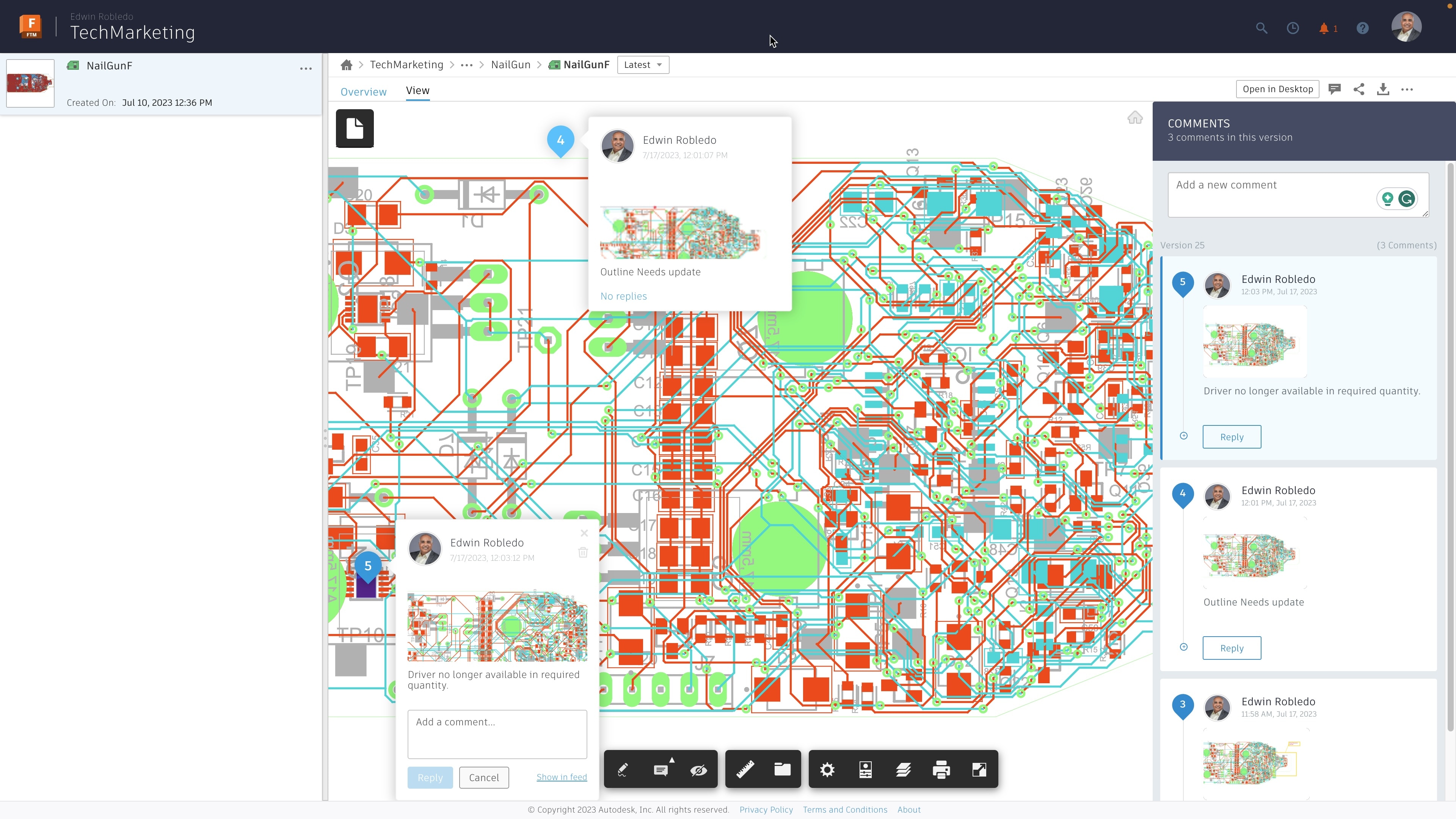
PCB design collaboration in Autodesk Fusion

Cloud collaboration

The Fusion electronics design capabilities provide managed team access to the project with instant updates to the latest version. Built-in versioning, milestone referencing, and web-based access to designs enable stakeholders to comment, track progress, and collaborate effectively.

PCB design workflow in Autodesk Fusion

PCB design follows a clear workflow, from schematic design to PCB layout, validation, and manufacturing—and Autodesk Fusion connects each step in a single, integrated environment.

electronic-component-pcb-design

Schematic design

PCB design begins with schematic capture, where engineers define components, connections, and electrical intent. In Autodesk Fusion, schematics are directly connected to the PCB layout, making sure design intent stays synchronized throughout the workflow.

pcb-routing

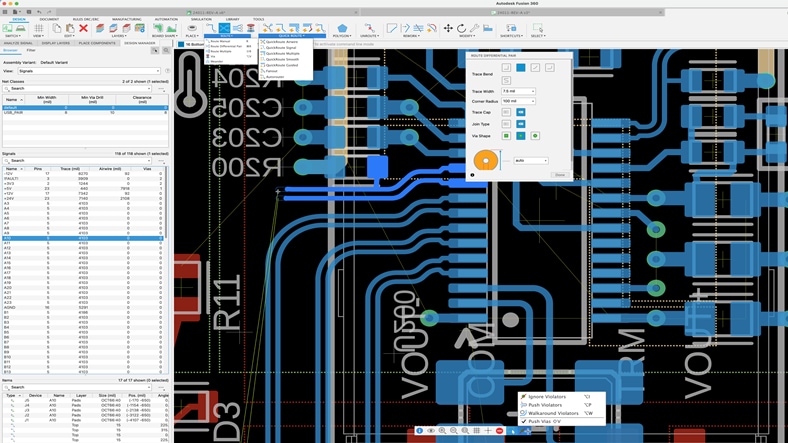
PCB layout and board design

The schematic is translated into PCB board design by defining the board outline, placing components, and routing copper traces. Fusion allows PCB layouts to be created in context of the mechanical enclosure, enabling early fit validation, connector alignment, and clearance checks.

ecad-mcad-integration

Validation and optimization

Design validation happens as the board is routed. Engineers can verify electrical rules, mechanical fit, and thermal constraints while iterating on the layout. Fusion’s integrated ECAD–MCAD environment helps identify issues early, reducing late-stage design changes.

PCB manufacturing

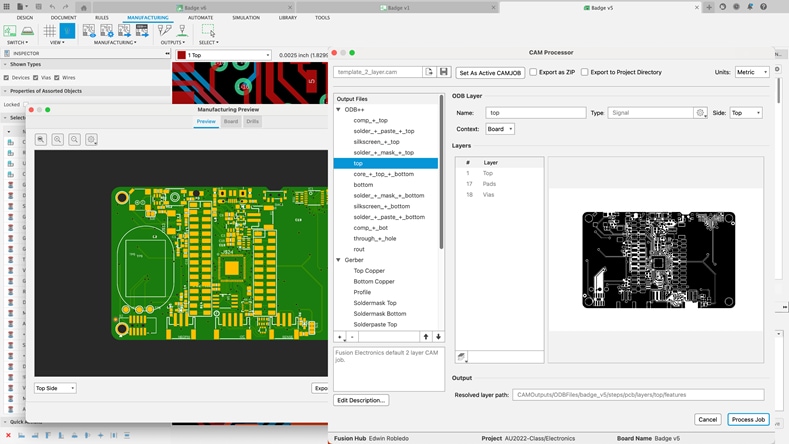
Manufacturing handoff

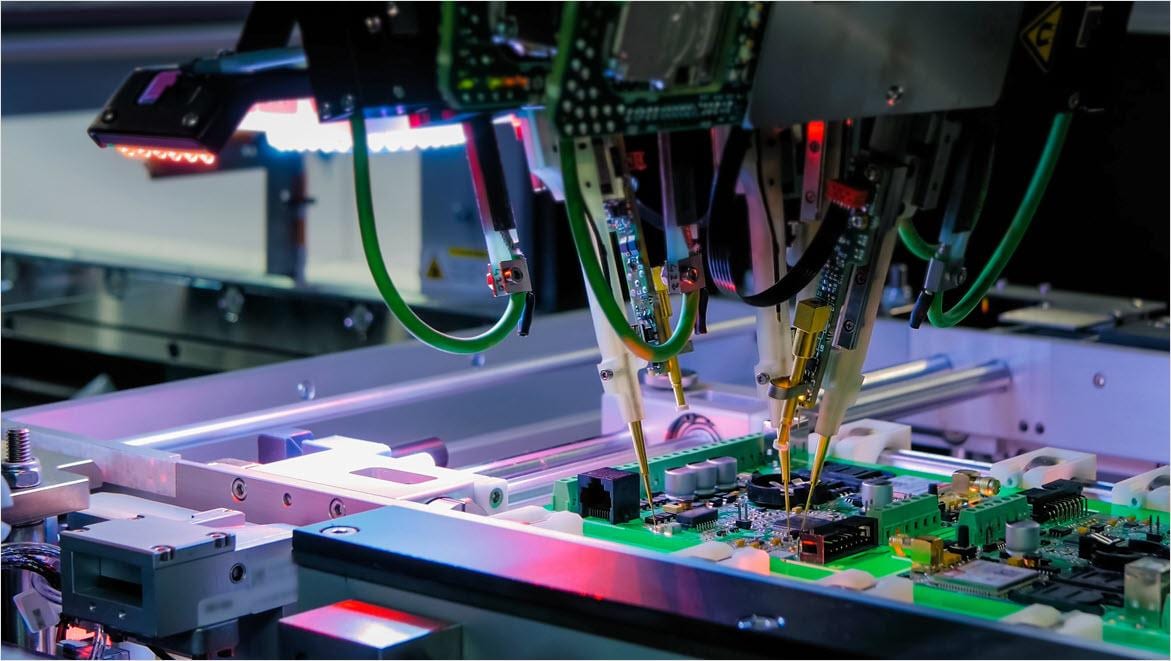
Once validated, PCB designs are prepared for manufacturing with accurate, up‑to‑date data. Because electrical, mechanical, and design changes are managed in Autodesk Fusion, the handoff to manufacturing is smoother, with fewer errors, and fewer revision cycles.


pcb-design-fusion-360

How to design a PCB board with Autodesk Fusion

To design and optimize a PCB in Fusion, begin by launching the software and opening the electronic design workspace. Start with creating a detailed schematic using the extensive component libraries, then place components and connect them on your board layout.

Use the unified ECAD/MCAD environment to reduce rework and improve layout efficiency.

Validate your design before manufacturing by using SPICE simulation and signal integrity tools. 

ecad-mcad-electrical-mechanical-design

Why ECAD-MCAD integration matters in PCB design

Autodesk Fusion integrates PCB design and mechanical design in a single environment, allowing engineers to validate enclosure constraints, board fit, and component clearances early in the PCB board design process. PCB layouts are created directly in the context of the product enclosure, making it easier to confirm connector alignment, mounting locations, and overall fit before prototypes are built.

This unified ECAD–MCAD workflow also helps teams address thermal constraints and manufacturing handoff earlier. Designers can assess component placement, airflow considerations, and heat‑sensitive areas while routing the board, rather than discovering issues late in validation. By validating electrical, mechanical, and thermal requirements together, Fusion reduces rework, streamlines collaboration, and delivers PCB designs that are ready for manufacturing with fewer iterations.

Take your PCB design to the next level with Autodesk Fusion

PCB manufacturing

Design for manufacturing (DFM) in PCB design

Design for manufacturing (DFM) is the practice of creating PCB designs that can be reliably fabricated, assembled, and tested at scale. Effective DFM considers manufacturing constraints such as trace widths, spacing, component placement, tolerances, and board geometry early in the PCB design process, rather than treating manufacturing as a final step.

In Autodesk Fusion, PCB design, mechanical design, and validation are connected, making it easier to align PCB board designs with manufacturing requirements from the start. By validating fit, mechanical constraints, and design rules before handoff, teams can reduce errors, streamline collaboration with manufacturing partners, and deliver PCB designs that move to production with fewer revisions.

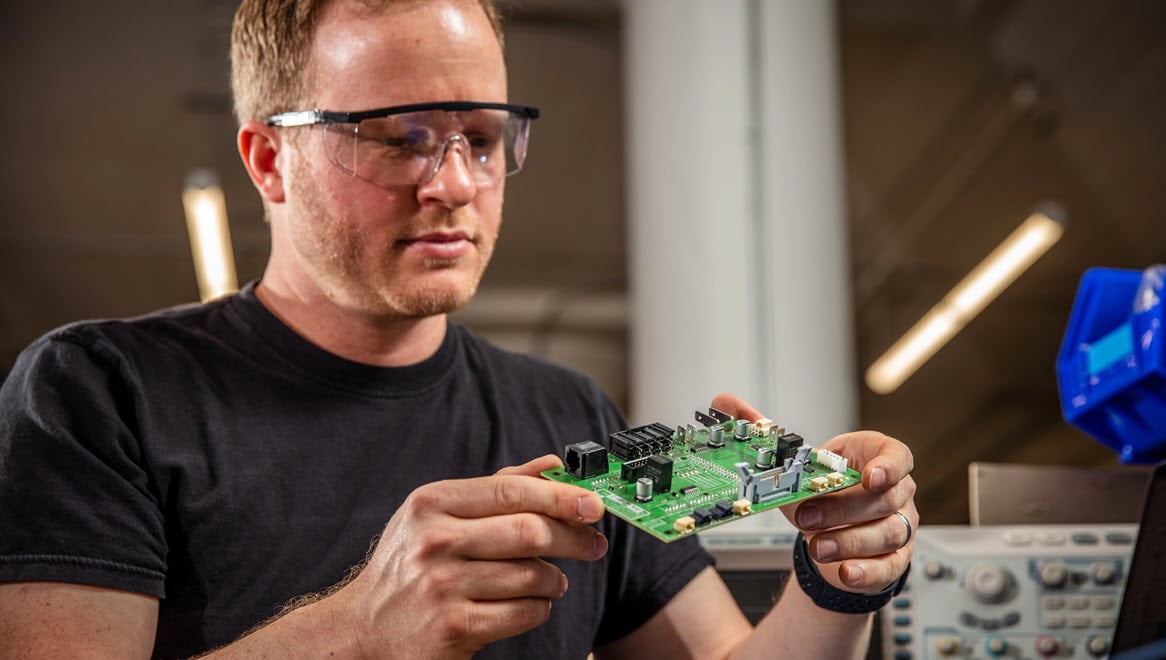
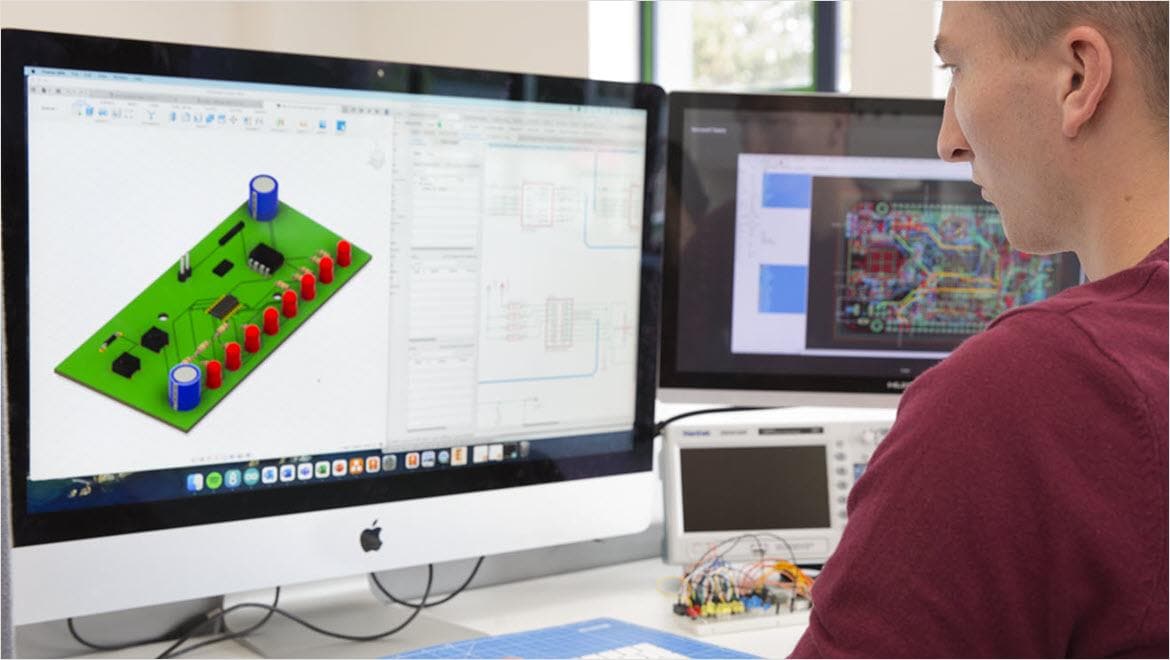
Man using Autodesk FUsion for electronics design

Common PCB design mistakes to avoid

Many PCB design issues are not electrical errors—they are workflow gaps that surface late in validation or manufacturing. Common mistakes include designing PCB layouts without full enclosure context, overlooking component height and connector alignment, and addressing thermal constraints too late in the process. These issues often lead to fit problems, overheating, and costly board revisions after prototypes are built.

Other frequent PCB design mistakes include overcrowded component placement, incomplete design rule checks, and poor coordination between electrical and mechanical teams. When PCB design, enclosure design, and manufacturing requirements are handled in separate tools, critical constraints can be missed. Using an integrated platform like Autodesk Fusion helps teams identify fit, clearance, and thermal issues earlier, reducing rework and improving overall design reliability.

Schematic capture

Schematic capture

Schematic capture is what you do when you take a PCB design from your head or from notes and turn into a schematic diagram using PCB designing software. It’s not just about showing all the parts of a circuit. The diagram also needs to include the connections between them, which are often called “nets” in electronics CAD. Circuit board design software such as Fusion simplifies this process and helps you track everything.

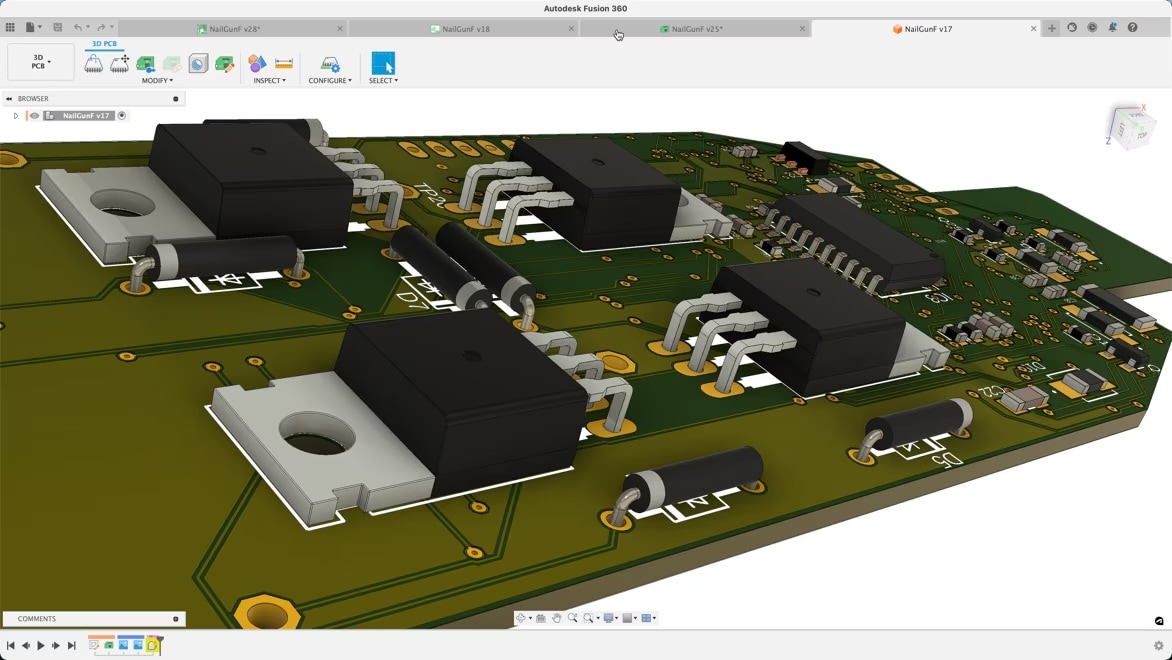
PCB design software in 3D

PCB design software in 3D

Circuit diagrams may be two-dimensional, but circuit boards are definitely not. Autodesk Fusion allows you to preview your PCB designs in 3D from angle you choose, so you can take a look at it from a whole new perspective. This helps you better visualize how different components will interact and how the design will fit inside its casing. That way, you can avoid building costly, time-consuming prototypes only to start over if something doesn’t work.

Review and share PCB designs

Review and share PCB designs

Effective PCB design depends not just on connecting components and circuits but on connections between minds and an approval hierarchy. With Fusion, you can quickly and easily share your designs with colleagues and peers for feedback and guidance, review colleagues' work, or get inspired by others’ PCB designs. You can even work on PCB cad designs with others simultaneously, speeding up design time and allowing you to benefit from having additional brain power on the task.

PCB design and PCB design software (FAQ) frequently asked questions

What is a PCB layout?

PCB design is the process of turning an electronic schematic into a physical printed circuit board by defining component placement, copper routing, layers, and manufacturing constraints.

What is PCB design software?

PCB design software, like Autodesk Fusion, helps engineers create schematics, design PCB layouts, validate electrical and mechanical constraints, and prepare files for manufacturing and assembly.

What is the difference between PCB design and PCB board design?

PCB design covers the full electronic workflow, including schematics and rules, while PCB board design focuses on the physical layout of the board, such as placement, routing, and layers.

What are the main steps in the PCB design workflow?

The PCB design workflow typically includes schematic design, PCB layout, validation, and manufacturing handoff.

Why is enclosure design important in PCB design?

Enclosure design affects board shape, component height, connector placement, and clearances, making it critical to validate PCB fit early in the design process.

How does PCB design impact thermal performance?

Component placement, copper routing, and airflow all influence heat dissipation, making thermal considerations an essential part of PCB board design.

What should be validated before sending a PCB design to manufacturing?

Before manufacturing, PCB designs should be validated for electrical rules, mechanical fit, thermal constraints, and manufacturability requirements.

Is Autodesk Fusion suitable for collaborative PCB design?

Yes. Fusion supports collaboration across electrical, mechanical, and manufacturing teams by keeping PCB design data connected and up to date.

How does Autodesk Fusion support PCB design?

Autodesk Fusion connects schematic design, PCB board layout, mechanical context, validation, and manufacturing handoff in a single platform.

Can PCB design and mechanical design be done in the same tool?

Yes. PCB design software solutions, like& Autodesk Fusion allow PCB design and mechanical design to be performed in the same environment, keeping designs synchronized.

How does ECAD MCAD integration improve PCB design?

ECAD MCAD integration connects PCB layouts with mechanical design, enabling early fit validation, enclosure checks, and improved collaboration between teams.

Why is DFM important for PCB board design?

DFM reduces production errors, minimizes costly redesigns, and helps ensure PCB designs move smoothly from design to manufacturing.

What is Design for manufacturing (DFM) in PCB design?

Design for manufacturing (DFM) ensures that a PCB design can be reliably fabricated, assembled, and tested by accounting for manufacturing constraints during layout.

How can PCB design mistakes be avoided?

PCB design mistakes can be reduced by validating electrical, mechanical, and thermal constraints early and keeping design data connected across teams. Electronics simulation tools like those in Autodesk Fusion can help.

What are the most common PCB mistakes?

Common PCB design mistakes include poor component placement, ignoring enclosure constraints, addressing thermal issues too late, and insufficient manufacturing validation. Try Autodesk Fusion free for 30-days to take your PCB designs to the next level.

See more FAQ